
Sivu - AI Face Photo Video App
MIOPS TEKNOLOJI ANONIM SIRKETIArt & Design
4.17.00 Reviews
- Version
- 1.32
- Installs
- 10.00K
- Age Rating
- Teen
Screenshots

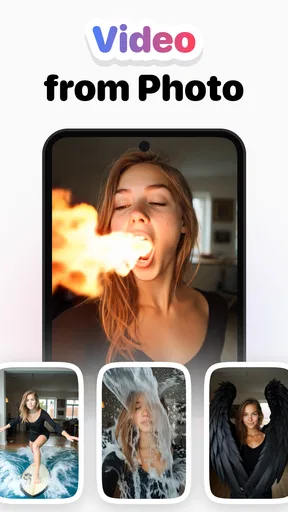
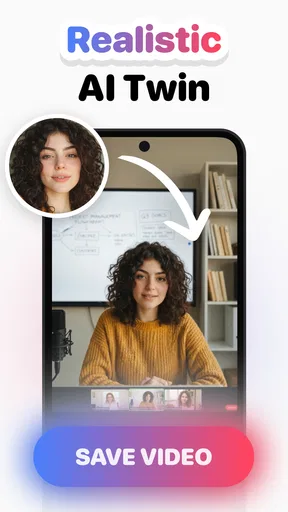
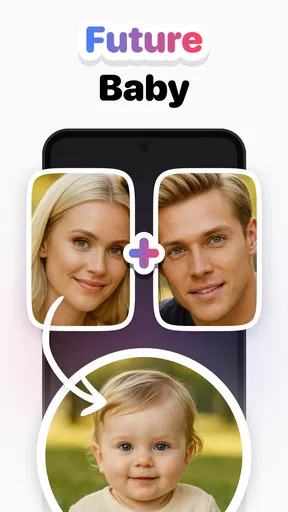

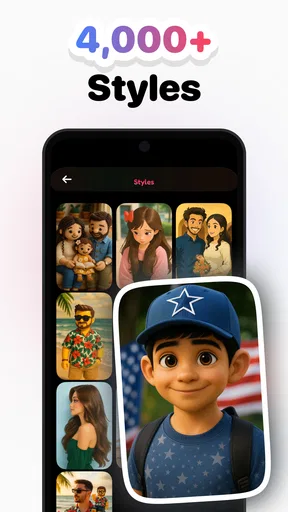
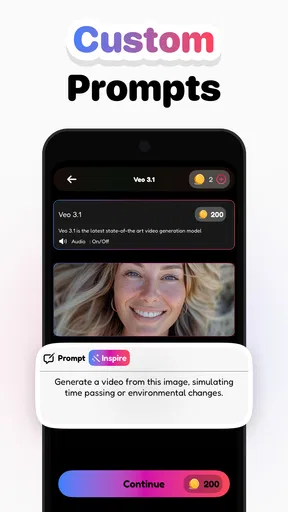

Our Review of Sivu - AI Face Photo Video App
 Analysis by Appyee
I tried Sivu - AI Face Photo Video App as a quick way to turn ordinary portraits into short, stylized videos, and its appeal became clearest in a shared-device situation. One person can have a photo ready, another can suggest a trend, and the result can be prepared for a TikTok, Reel, or Short without opening a full desktop editor. It sits in the art and design category, but I found it more useful as a fast social-video experiment than as a complete creative workstation.
The app is free to install, which makes it easy to test before deciding whether it belongs in a regular household workflow. Its basic idea is simple: start with a face photo, choose an AI-driven video treatment, and shape the result into something suitable for vertical social content. That simplicity is its strongest quality, although it also means expectations need to stay realistic. This is not the app I would choose for detailed frame-by-frame editing, careful color work, or a polished production with many layers.
How Sivu works when more than one person uses the device
A realistic example would be a family preparing a birthday post. One person has a clear portrait, someone else wants to try a popular visual style, and a younger household member is interested in seeing how a still image can become animated. Sivu fits the playful part of that process well. Rather than asking everyone to learn a complicated timeline, I would use it to make a few quick versions, compare them on the phone, and keep the version that feels natural.
That shared-device scenario also reveals an important boundary: the app should be treated as a creative tool, not as a shared archive for everyone’s private images. Before importing a portrait, I would ask whose photo it is, whether that person is comfortable with an AI transformation, and whether the finished clip is intended to stay on the device or be posted publicly. The convenience of turning a photo into a video can make those decisions feel unimportant, but they matter more when several people use the same phone.
I also recommend agreeing on a small workflow before opening the editor. Decide who is supplying the image, who is choosing the visual treatment, and who gives the final approval. That avoids the familiar shared-device problem where one person starts a project, another changes it, and nobody knows which version should be saved. Sivu is quick enough for experimentation, but quick tools still benefit from a little coordination.
For a household, the best use is usually short, deliberate sessions. I would not hand over the phone and assume every user will understand the difference between trying a style and creating something ready to publish. A portrait that looks amusing among friends may feel uncomfortable to the person in the image once it is shared. The app makes creation accessible; the household still needs to supply the judgment.
What I would prepare before opening the editor
I get better results when I choose a portrait with one clearly visible face, reasonable lighting, and enough space around the head and shoulders. This is not a promise that every image will animate perfectly, but it is a practical way to reduce disappointment. Group photos, heavy obstructions, extreme angles, and busy backgrounds give an AI video maker more visual problems to solve, especially when the intended effect focuses on facial movement.
I would also keep the original photo untouched. On a shared device, creating a separate copy or selecting an image that can be easily identified later prevents accidental confusion. That small habit becomes particularly useful when several people are testing different versions. It also makes it easier to stop experimenting without losing the source image.
Another useful tip is to judge the first result as a draft rather than a final answer. AI transformations can be visually striking while still feeling slightly unnatural. I would watch the whole clip, not just the opening moment, and check whether the face remains consistent, whether the motion suits the person, and whether the result still looks respectful when viewed without the excitement of the creation process.
Keeping accounts and personal boundaries clear
On a phone used by several people, I would avoid treating one person’s creative session as a permanent household workspace. The app is developed by MIOPS TEKNOLOJI ANONIM SIRKETI, and its current version is 1.32. Those details help identify the app being reviewed, but they do not remove the need for sensible account habits. If the app presents any sign-in or purchase step during use, the person responsible for the device should handle it rather than letting a child or guest make decisions casually.
I would also separate “using the app” from “publishing the result.” A person can be allowed to experiment with a family photo without being the person who decides where the finished video goes. That distinction is especially helpful when a younger user shares the device. The creative process can be collaborative, while posting remains an adult-approved step.
When several people want to use Sivu, a simple naming convention for saved projects or exported clips can prevent mix-ups. I would use the subject’s name only if the device is private and secure; otherwise, a neutral label is better. This is not an app feature, but it is the kind of practical organization that makes a fast AI tool much easier to live with in a busy home.
Creative control, coordination, and everyday usefulness
My main impression is that Sivu is designed for momentum. It encourages the user to begin with a photo and see what kind of short video can come from it. That makes it a good fit for someone who has an idea for a social post but does not want to spend an evening learning a conventional editor. The trade-off is control. A traditional video app usually gives more direct command over timing, transitions, text placement, sound, cropping, and individual frames.
If I were making a carefully branded Reel for a small business, I would probably start elsewhere and use Sivu only for an experimental visual. If I were making a playful birthday greeting, a quick reaction clip, or a trend-inspired post from a single portrait, I would be more inclined to try it first. The difference is not simply quality; it is whether the project benefits from surprise or requires predictable precision.
One non-obvious strength is how useful the app can be at the idea stage. Instead of asking, “What can I edit from this photo?” I can ask, “Does this face work for a moving concept?” That changes the creative process. A still image that seems ordinary in a gallery may become a useful starting point for a short social clip, while a technically beautiful portrait may produce a result that feels too artificial. Sivu is therefore valuable for testing concepts before investing time in a larger edit.
A second trade-off appears when a group is choosing a final version. AI results can encourage endless variations because each attempt feels inexpensive in time. In a shared household, I would set a limit before starting: make a few candidates, review them together, then stop. Without that boundary, the app can turn a simple post into a long session of comparing nearly identical outputs.
A third practical insight is to match the source image to the intended audience. For a private joke among close friends, an expressive transformation may be fine. For a public account, I would choose a more restrained image and inspect the result for anything that changes the person’s appearance in a distracting way. The same effect can feel creative in one context and careless in another.
Where it fits beside ordinary video editors
Compared with a standard mobile editor, Sivu is more focused on the jump from photo to AI-generated motion. A conventional editor is usually better when I already know exactly how the video should look. I can place clips in a timeline, trim them precisely, add several supporting elements, and make corrections by hand. Sivu is more attractive when I want the app to provide the visual transformation rather than manually construct every movement.
Compared with a dedicated photo-animation tool, its social-video orientation is the more relevant distinction. I would choose a specialized animation app when I need careful control over facial motion, camera movement, or layered effects. I would choose Sivu when speed and trend-friendly experimentation matter more than detailed adjustment. Neither approach is automatically superior; they serve different stages of the creative process.
It is also worth separating Sivu from a full social network. The app can help prepare a clip for TikTok, Reels, or Shorts, but that does not make it a replacement for the publishing, audience-management, and editing tools inside those platforms. I would create the visual in Sivu, review it independently, and only then decide whether it belongs on a public profile.
The app’s store summary presents it as a trend-focused AI video maker, and that matches my experience of its intended role. I would not install it expecting a broad art suite. Its category is Art & Design, but its practical center is quick portrait-based video creation for social use.
What the free entry point really means
Sivu is free, so trying the basic experience does not require an upfront purchase. However, in-app purchases range from $4.99 to $47.99 per item. That makes it important to slow down around any premium prompt, especially on a shared device. A free installation is not the same as unlimited access to every creative option, and a younger user may not immediately understand that distinction.
I would make the purchase boundary explicit before anyone else uses the app: experimentation is allowed, but no paid selection is confirmed without the device owner’s approval. This is particularly important when a household shares payment access through a phone or account. The safest routine is to review the purchase screen carefully and avoid assuming that a tap merely previews an effect.
The cost question also depends on how often the app will be used. For occasional birthday clips or trend experiments, a free starting point may be enough to decide whether the style suits you. For frequent creators, the value depends on how much the paid items improve the workflow compared with using a regular editor and creating the motion manually. I would test the free experience first rather than paying because the concept sounds appealing.
Age, trust, and the person in the photo
The content rating is Teen, which is a useful signal for households deciding whether a younger person should use the app independently. I would still treat the age label as a starting point, not a substitute for supervision. The main concern is not only what the app creates, but whose face is being transformed and where the resulting video might travel.
For teenagers, I would suggest a simple rule: use your own images or images from people who have clearly agreed, and ask before posting anything that includes someone else. That rule is easy to understand and applies whether the result is flattering, funny, or intended as a trend. It also helps prevent a shared device from becoming a place where family photos are transformed without the subject’s knowledge.
Trust matters for adults too. An AI effect can make a person look more expressive, glamorous, strange, or unlike themselves. I would show the completed clip to the person featured before sharing it, particularly if the video will be public. If the subject dislikes the result, the creative experiment has already answered its own question: that version should not be posted.
I would also explain to younger users that “made with an app” does not mean “free from consequences.” A clip can be deleted from the phone and still have been copied elsewhere after sharing. Sivu makes creation fast, so the household conversation about consent and audience should happen before the first upload, not after a problem appears.
Device fit and practical expectations
The minimum operating-system requirement is Android 9 or later, which gives the app a reasonably broad starting point for compatible Android phones. In practice, I would still expect the experience to vary with the device, the source image, and the complexity of the selected treatment. AI video creation can be more demanding than ordinary photo filters, so I would keep the phone charged and avoid judging the app from one rushed attempt on an older device.
I would also plan around the fact that short-video creation is not always instantaneous. Even when the interface feels simple, the app needs to process an image into motion. If I were preparing a post for a specific moment, I would create it ahead of time rather than waiting until guests are arriving or a trend is about to pass.
The app has an average rating of 4.1 from around 181 ratings, with around 7 written reviews, and it has passed 10K installs. I read that as evidence of an early, interested audience rather than a reason to assume universal reliability. The release date was Jul 8, 2025, so I would approach it as a relatively young product whose experience may continue to change as it develops.
My household verdict after using Sivu
I would recommend Sivu to a household that wants a low-friction way to experiment with portrait-based AI videos, provided everyone agrees on image consent, publishing boundaries, and purchase approval. It is especially appealing for a teenager or adult who enjoys trying social trends but does not want to learn a full editing timeline. The app’s strongest moment is the first creative leap from a still photo to a shareable-looking moving concept.
I would not make it the main tool for a family archive, a serious client project, or any workflow that needs exact control over every visual decision. A conventional editor is better for predictable assembly, while a more specialized animation app may be better for detailed facial or camera movement. Sivu earns its place when the goal is fast discovery: make a portrait move, see whether the idea works, and decide what deserves further editing.
For shared use, my recommendation is to keep the process visible and intentional. Choose the image together, let the subject approve the result, keep account and purchase decisions with the responsible owner, and treat public posting as a separate step. Those habits address the real risks more effectively than simply handing over the phone and hoping everyone makes the same assumptions.
In the end, I see Sivu as a focused creative shortcut rather than an all-purpose video studio. It is free to try, easy to understand at a basic level, and well suited to quick social experiments. Its limits become clear when I need precision, privacy-sensitive organization, or a polished multi-stage production. If that distinction matches your needs, I think it is worth testing; if you want complete editorial control, I would begin with a traditional mobile editor instead.
Verdict
Strengths of Sivu - AI Face Photo Video App
- Turns still photos into lively AI videos with minimal effort.
- Offers creative face effects for social media posts and stories.
- Simple interface makes basic edits accessible to beginners.
- Can produce entertaining results quickly from a single portrait.
- Provides a convenient all-in-one tool for photo and video experiments.
Limitations of Sivu - AI Face Photo Video App
- Results can vary noticeably depending on lighting and photo quality.
- Some advanced effects may require a subscription or in-app purchase.
- AI processing may take time, especially for longer or complex animations.
- Face animations can occasionally look unnatural or poorly synchronized.
- Uploading personal photos may raise privacy concerns for some users.
Similar Picks in This Category
View All
Canva: AI Photo & Video Editor
Canva4.8

PENUP – Drawing-sharing SNS
Samsung Electronics Co., Ltd.4.5

Crafto
Kutumb App4.6

Sketchbook
Sketchbook4.1

ibis Paint X
ibis inc.4.5

Adobe Express: AI Photo, Video
Adobe4.6
Frequently Asked Questions
What is Sivu - AI Face Photo Video App used for?
Sivu is an AI-powered photo and video editing app designed to transform selfies and portraits into creative visual content. Depending on the tools available in the current version, users can enhance faces, apply artistic effects, create animated images, and generate short videos with AI-based templates. It is mainly aimed at casual creators, social media users, and anyone who wants quick results without advanced editing skills.
Is Sivu - AI Face Photo Video App free to download and use?
Sivu can generally be downloaded for free, but some features, effects, templates, or export options may require in-app purchases or a subscription. Before starting a trial, check the pricing page carefully, including the renewal terms and cancellation instructions. Free access may also include limits on daily generations, video quality, processing speed, or the number of available AI styles.
How does Sivu process uploaded photos and videos?
To create AI edits, Sivu needs access to the photos or videos selected by the user, and certain features may require camera or media-library permissions. Processing can take place on the device, through cloud servers, or using a combination of both, depending on the feature. Users should review the app’s privacy policy to understand how files, face data, and generated content are stored, used, and deleted.
Does Sivu support both Android and iPhone devices?
Sivu’s availability may vary by country, operating system, and device model, so users should confirm compatibility on the official Google Play Store or Apple App Store listing before downloading. AI photo and video tools can require a relatively recent operating system, sufficient storage, and a stable internet connection. Older phones may experience slower processing, limited effects, or reduced export performance.
Can I share or export the AI-generated photos and videos from Sivu?
Sivu is intended for creating content that can be saved and shared, although export formats, resolution, watermarks, and sharing options may depend on the selected tool or subscription plan. After generating an image or video, review the preview before publishing it. Avoid uploading other people’s faces without permission, and remember that AI-generated content should be used responsibly, especially when it could be mistaken for real footage.
